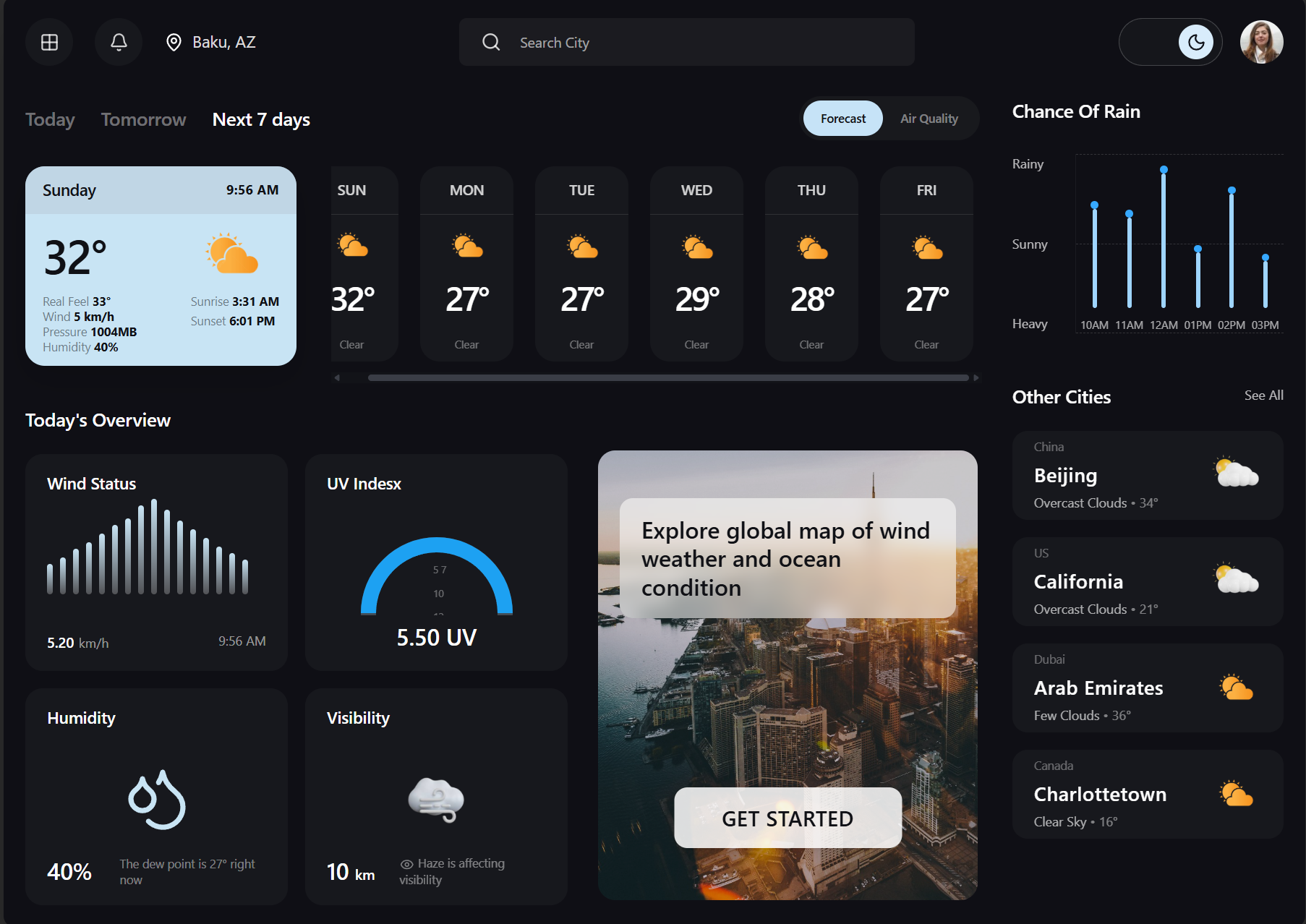
A clean and responsive weather application providing current conditions, forecasts and city-based weather search through the OpenWeather API.
- Next.js
- Application framework
- OpenWeather
- Weather data
- Forecast
- Weather information
- Responsive
- Dashboard design
Weather Dashboard is a responsive Next.js application connected to the OpenWeather API.
Users can search for cities, view current weather conditions and explore forecast information through a dashboard-style interface.
The project focuses on API integration, weather-data presentation, loading states and responsive design.
My contribution
Complete frontend development
- Building the Next.js application
- Integrating the OpenWeather API
- Creating city search functionality
- Displaying current weather information
- Creating forecast components
- Handling loading and error states
- Designing a responsive dashboard
01 · The problem
Raw API responses are not immediately useful to everyday users
- Users need a simple city search
- Weather values require clear labels and units
- Forecast information must be visually organized
- Invalid locations need readable error messages
- Loading states must avoid empty interfaces
02 · The solution
A readable dashboard for current conditions and forecasts
- Location-based city search
- Current temperature and condition display
- Structured forecast information
- Loading and error feedback
- Responsive dashboard components
City Search
Users can request weather information for selected cities.
Current Conditions
The dashboard displays temperature, condition and location data.
Weather Forecast
Users can review upcoming weather information.
API Integration
Weather data is retrieved from the OpenWeather service.
Error Handling
Invalid searches and request failures produce clear feedback.
Responsive Dashboard
The weather interface adapts to different screen sizes.
Frontend
Weather Data
Interface
Tools
The OpenWeather response needed to be reduced to the values most useful for the interface.
- Integrating the OpenWeather API
- Transforming raw API responses
- Building location-based search
- Handling loading and error states
- Creating reusable weather components
- Designing responsive dashboard layouts
- Managing environment variables
- Presenting forecast data clearly
Explore the dashboard
See how weather data becomes a useful interface
Open the deployed dashboard, inspect its source code or explore my other frontend projects.